Cocelas Keynote Template: Design Smarter
In the fast-paced world of modern communication, the ability to convey ideas clearly and visually is no longer a luxury—it is a necessity. Whether you are pitching a startup concept to investors, teaching a complex subject to students, or sharing a personal portfolio with potential clients, your presentation slides serve as the visual backbone of your narrative. This is where Cocelas - Keynote Template steps in, offering a robust solution for professionals who need high-quality design without the steep learning curve of starting from scratch.
For creators, designers, marketers, and entrepreneurs, time is often the most scarce resource. Spending hours aligning text boxes, selecting color palettes, and ensuring font consistency can drain the energy needed for actual content creation. Cocelas addresses this friction by providing a fully editable, vector-based framework that adapts to your specific needs. It is not just a collection of static images; it is a dynamic toolset designed to elevate your storytelling through structure, clarity, and aesthetic appeal.
Beyond Aesthetics: The Power of Structured Flexibility
What makes Cocelas - Keynote Template particularly interesting is its balance between pre-designed elegance and total creative freedom. Many templates feel restrictive, forcing users into rigid layouts that do not match their content. Others are so bare-bones that they offer little guidance. Cocelas strikes a middle ground with 150 total slides spread across five premade color schemes. This variety ensures that whether your brand identity is bold and vibrant or muted and professional, there is a foundation that resonates with your voice.
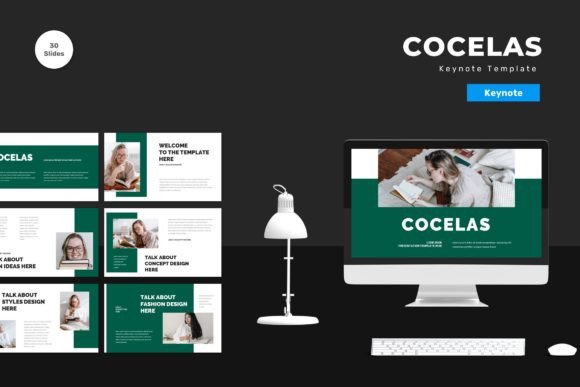
The template includes 30 useful slide types, covering everything from title screens and team introductions to data visualization and contact details. Because these elements are vector-based, they remain crisp and clear regardless of how much you resize them. This technical detail is crucial for presentations that might be viewed on anything from a small laptop screen to a massive conference hall projector. Furthermore, the reliance on master slides means that changes made to the core design propagate throughout the deck, ensuring consistency without manual adjustment on every single page.
Tailoring the Experience for Different Professionals
The versatility of Cocelas allows it to serve a wide array of users, each with distinct goals and audiences. Here is how different professionals can leverage this tool effectively:
- Entrepreneurs and Startups: When seeking funding, clarity is king. Use the clean, animated slides to present market data and growth projections. The premade colors can be adjusted to match your brand guidelines, ensuring that your pitch deck feels like an extension of your company’s identity rather than a generic document.
- Educators and Trainers: Teaching requires breaking down complex information into digestible chunks. The varied layout options allow educators to mix text-heavy explanations with visual diagrams. The "drag and drop" ease means teachers can update course materials quickly each semester without redesigning the entire curriculum.
- Creative Freelancers: Designers and photographers can use the minimalist aspects of the template to let their work shine. By replacing placeholder images with high-resolution portfolio pieces, the template acts as a subtle frame that highlights creativity without distracting from it.
- Corporate Marketers: For quarterly reviews or campaign launches, the professional tone of the premade colors instills confidence. The inclusion of recommended free web fonts ensures that the typography remains legible and modern, avoiding the cluttered look of outdated corporate decks.
Practical Strategies for Effective Customization
Owning a powerful template is only half the battle; knowing how to use it is what separates a good presentation from a great one. To get the most out of Cocelas - Keynote Template, consider these practical approaches to customization and content organization.
First, respect the hierarchy. The template provides structured spaces for headings, subheadings, and body text. Resist the urge to overcrowd slides. Instead, use the ample white space provided in the design to guide the viewer’s eye. If you have a lot of information, break it across multiple slides using the consistent transition animations included in the pack. This keeps the audience engaged without overwhelming them.
Second, leverage the color psychology inherent in the five premade options. If you are presenting a serious financial report, opt for the more subdued, trustworthy tones. If you are launching a creative product or speaking at a youth-oriented event, choose the brighter, more energetic palette. You can also tweak these colors slightly to align with specific branding requirements, thanks to the editable nature of the vector elements.
Third, utilize the animated slides strategically. Animation should enhance understanding, not distract from it. Use subtle entrance effects to reveal bullet points one by one, keeping the audience focused on the current point rather than reading ahead. The animated slides in Cocelas are designed to be smooth and professional, avoiding flashy transitions that can detract from your message.
Streamlining Your Workflow
One of the most significant benefits of using a master-slide-based template like Cocelas is efficiency. Because the design logic is built into the master layers, you can focus entirely on your message. The process is simple: open one of the five included Keynote files, read the readme information for any specific technical tips, and start dragging and dropping your content.
Replace placeholder images with your own high-quality visuals. Ensure that your images are relevant and add value to the text beside them. If you are discussing team structure, use genuine photos of your colleagues rather than generic stock imagery. This personal touch builds trust and connection with your audience. The template’s flexibility allows you to crop and adjust these images easily within the vector frames.
Additionally, the use of recommended free web fonts means you do not need to worry about licensing issues or font compatibility when sharing your file with others. This is a critical consideration for collaborative projects where multiple stakeholders may need to view or edit the presentation. Consistency in typography ensures that your document looks polished on any device.
Creating Original Content Within a Framework
A common concern with templates is the fear of looking generic. However, Cocelas - Keynote Template is designed to be a starting point, not a final destination. The true originality comes from your content, your voice, and your specific application of the design elements. By mixing and matching slide types, adjusting color accents, and inserting unique data visualizations, you create a deck that is distinctly yours.
Consider the flow of your narrative. Use the title slides to set the tone, the informational slides to build your argument, and the concluding slides to call for action. The 150 slides provide enough variety to keep the visual experience fresh throughout a long presentation. You are not limited to a linear progression; feel free to rearrange sections to suit the specific context of your meeting or event.
Ultimately, the goal is to communicate effectively. Cocelas - Keynote Template removes the technical barriers to good design, allowing you to focus on what matters most: your ideas. Whether you are a small business owner looking to impress local clients or a global marketer presenting to a remote team, this tool provides the professional polish needed to stand out. Get it now Cocelas - Keynote Template for all business and personal needs, and transform the way you present your world.
Remember, preview images are not included in the download, so rely on the detailed feature list and the readme file to guide your initial setup. With vector-based precision, easy editability, and a comprehensive set of slides, Cocelas is more than just a template—it is a partner in your creative process. Embrace the flexibility, experiment with the styles, and let your content take center stage.